
Voice notes not working in Mujib, or the agent replies in text
When voice notes are not working in Mujib, it is usually one of two things: the agent asks the customer to type because it could not turn the recording into text, or it replies in text although you turned voice replies on. The first comes from the recording itself; the second from the voice settings or the channel.
Normally Mujib turns every voice note that arrives on WhatsApp, Messenger or Instagram into text. The text shows under the recording in Inbox as Transcript, and the agent answers what the customer said, as it would any typed message.
Why did the agent ask the customer to type their message?
Section titled “Why did the agent ask the customer to type their message?”Because the recording did not become text it could understand: it was silent or unclear, or it could not be transcribed at that moment. The agent does not leave the customer without an answer; it sends one message that apologises and asks them to type what they need.
- The request is never repeated: if the agent’s last message in the conversation is already that request, it does not send it again, however many voice notes follow.
- The recording stays in the inbox and you can play it, but no text shows under it.
- If the conversation is marked Possible spam, its voice notes are not transcribed and nothing automated answers them; you can still play them. See Spam messages.
- If your subscription has stopped or its usage is used up, new voice notes are stored without text.
What do I see in the inbox when a voice note arrives?
Section titled “What do I see in the inbox when a voice note arrives?”You always see the player; what sits under it depends on what happened.
| What happened | What the inbox shows |
|---|---|
| Transcribed, agent on | The player, the Transcript under it, then the agent’s reply |
| Could not be transcribed | The player alone, then the agent’s request to type |
| Agent off, or the conversation is with your team | The player and the text; the agent does not reply, and the conversation waits for you like any other message |
| Conversation marked Possible spam | The player alone; nothing automated replies |
| The file was not kept | Attachment unavailable in place of the player |
The transcript is written for your team even when the agent is off or Auto-reply is off on the channel, so you can read what the customer said without playing it.
Why did the agent reply in text to a voice note?
Section titled “Why did the agent reply in text to a voice note?”Because a voice reply goes out only when every condition holds; when one is missing, the agent sends the same reply as text, so the customer is never left without an answer.
| Cause | What to do |
|---|---|
| The voice note came on Messenger or Instagram | Nothing: voice replies are WhatsApp only |
| Voice replies is off | Turn it on in Voice & images |
| No voice is chosen | Pick one under Voice in the same section |
| The reply is longer than 800 characters | Nothing: long replies go out as text |
| The reply contains a link | Nothing: a reply with a link goes out as text |
| The voice could not be generated at that moment | Nothing: the reply goes as text, and voice is tried again on the next voice note |
When a voice reply does go out, the inbox shows the recording together with the text the agent spoke, so you know what the customer heard without playing it.
How do I turn on voice replies and choose the voice?
Section titled “How do I turn on voice replies and choose the voice?”On the agent itself; changes apply to its next replies.
- Open Agent Studio, then open the agent that answers your customers.
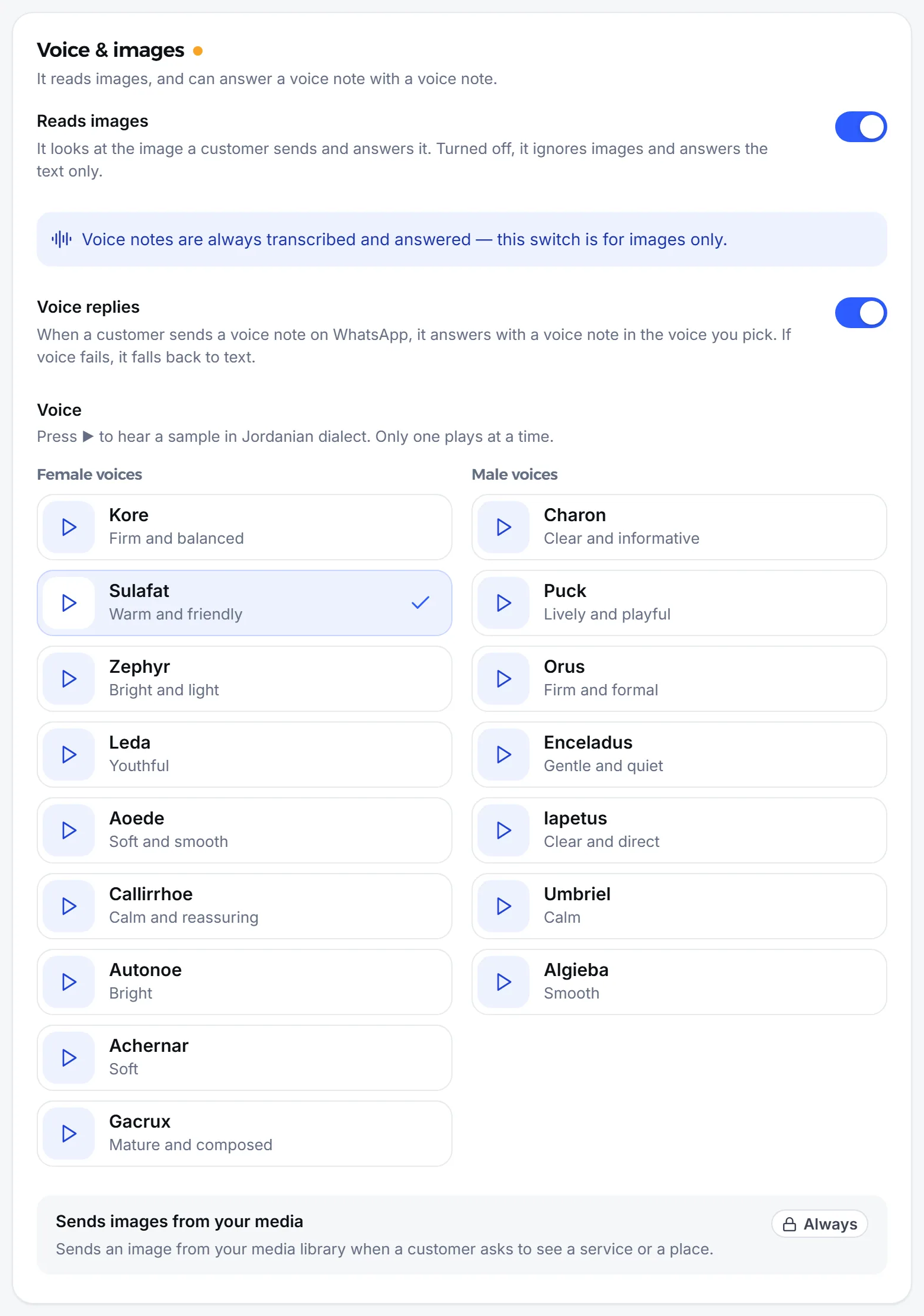
- Go to the Voice & images section.
- Turn on Voice replies.
- Under Voice, listen to the samples and pick one voice.
- Save your changes.
What if the problem keeps coming back?
Section titled “What if the problem keeps coming back?”Go through these in order; the most common causes come first.
- Play the recording in the inbox. If it is silent or full of noise, the agent was right to ask for text, and you can answer the customer yourself.
- Make sure the agent is answering the conversation. If it is off, or the conversation was handed to your team, it answers no message, voice or typed. See Turn the agent on or off.
- Make sure the conversation is not marked Possible spam. Those conversations are not transcribed.
- Check the voice settings if the problem is replies arriving as text: the channel is WhatsApp, the switch is on, a voice is chosen.
- Check your subscription on the billing page: voice notes are not transcribed while it has stopped.
- Still stuck? Write to abdalrahman@mujib.ai with the customer’s name, the time of the voice note and the channel it came on.
The full feature is described in Voice messages. If the agent answers no message at all, see Agent not replying.
Frequently asked questions
Are voice notes transcribed even when the agent is off?
Yes. Every voice note that arrives on WhatsApp, Messenger or Instagram is transcribed, and the text shows under it in the inbox for your team, whether or not the agent replies.
Why does the agent answer Messenger and Instagram voice notes in text?
Voice replies work on WhatsApp only. The agent understands voice notes on all three channels, but answers in text on Messenger and Instagram.
Does the agent keep asking the customer to type if several voice notes are unclear?
No. If the agent's last message in the conversation is already that request, it does not send it again.
I turned voice replies on and the agent still answers in text. Why?
Most likely no voice is chosen yet. The voice section then shows “No voice chosen. Until you pick one, the agent answers voice notes in text.”
Can my team send a voice note from the inbox?
Yes. The record button sits next to Send in the reply box, and it works on WhatsApp, Messenger and Instagram.