
Salon booking on WhatsApp and Instagram with Mujib's agent
Salon booking on WhatsApp and Instagram with Mujib means the agent answers your clients at any hour: it explains services and prices from your information, books with the stylist the client asks for at a time that is really free, understands the hairstyle photos she sends, and lets her move or cancel the appointment in the same chat.
This guide fits hair salons and beauty and skincare centers, with one branch or several. Your team sees every conversation in Inbox and every appointment on Calendar.
How do I set Mujib up for my salon, step by step?
Section titled “How do I set Mujib up for my salon, step by step?”Setup takes seven steps, most of them done once:
- Business model: in the setup wizard, choose appointments. You can change it later in Settings → Your business & modules by choosing Bookings and appointments.
- Branch and hours: in Branches, press Add branch, write the address and each day’s hours on the Hours step. For a midday break, add a second window to the same day.
- Stylists and specialists: on the Numbers & staff step, press Add specialist for each of them. Then in Settings → Team roster, record their Gender, their own hours, and a longer appointment length for anyone who needs one.
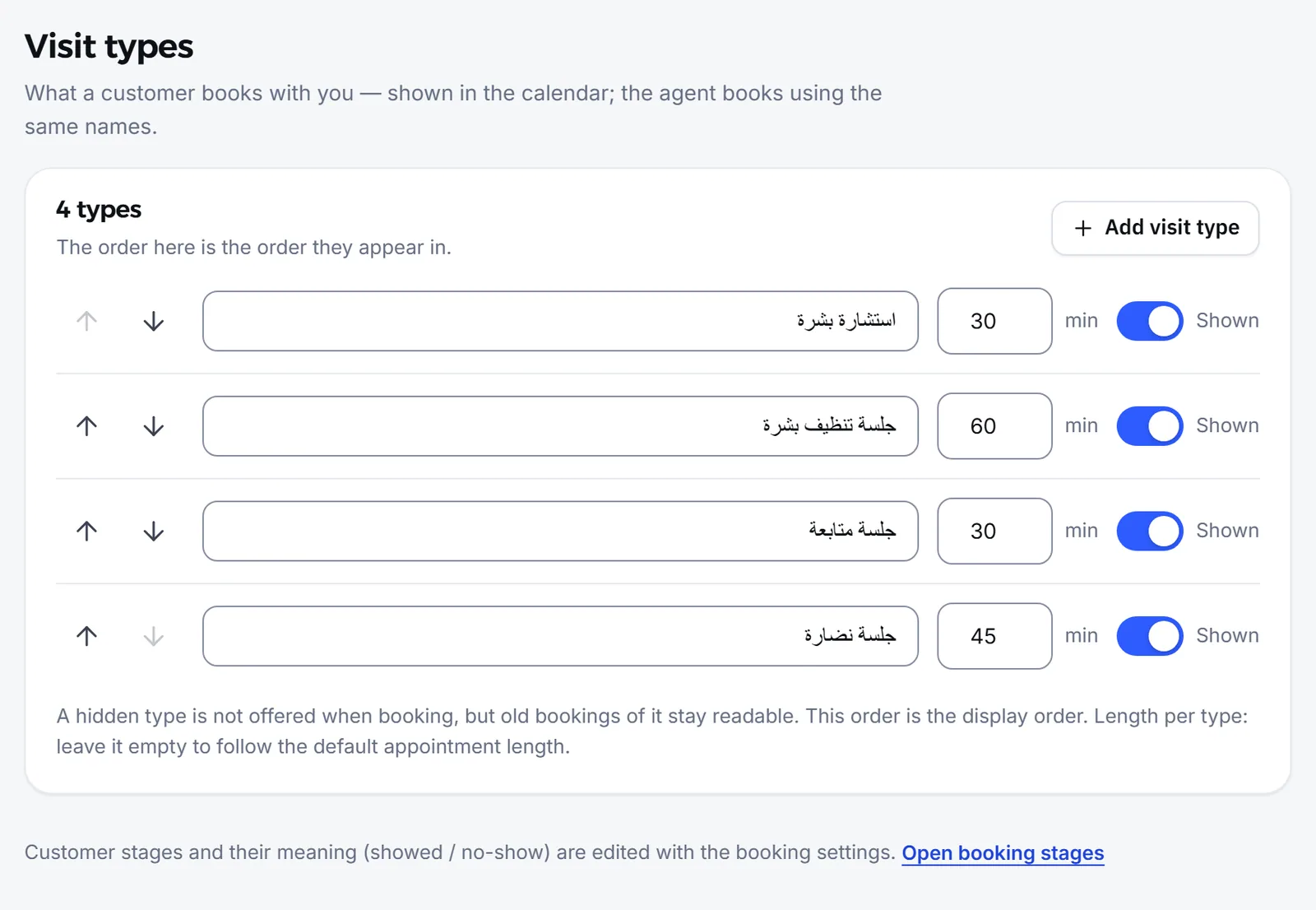
- Services and lengths: in Settings → Visit types, add your services as visit types, such as “Haircut”, “Colour”, “Blow-dry” and “Make-up”, each with its length, so the agent never books a colour into a slot that only fits a cut.
- Booking settings: in Branches → Booking settings, choose under Required before confirming a booking whether you need the client’s name and phone, and keep Send the customer a WhatsApp reminder on so fewer appointments are missed.
- Price list and policies: in Knowledge, press Add entry and add your service prices, your lateness and cancellation policy, and what makes your salon different.
- Photos of your work: upload photos of your work and your salon to Media, and check that Sends images from your media is on in the Voice & images section of the agent’s settings. Then connect Instagram and Messenger and WhatsApp.
How does a client book with the stylist she wants?
Section titled “How does a client book with the stylist she wants?”The client names the stylist, and the agent books with her, offering her times only. When the client names nobody, it books with the stylist she usually sees.
- By name: the agent recognises the full name or the first name. If that stylist does not work at that branch or on that day, it says so and offers the days she works.
- A female or male stylist: once you record gender in the roster, a client can ask for a female stylist and the agent books an available one.
- New clients: when more than one stylist can take the appointment, the agent asks once whether she wants a particular stylist or any stylist who is free.
- The right length: an appointment takes the stylist’s own length when you set one, otherwise the service’s length.
See Staff and specialists and Visit types.
What does the agent do with photos a client sends?
Section titled “What does the agent do with photos a client sends?”The agent looks at the photo a client sends and answers it from your salon’s information; this is on by default with the Reads images switch.
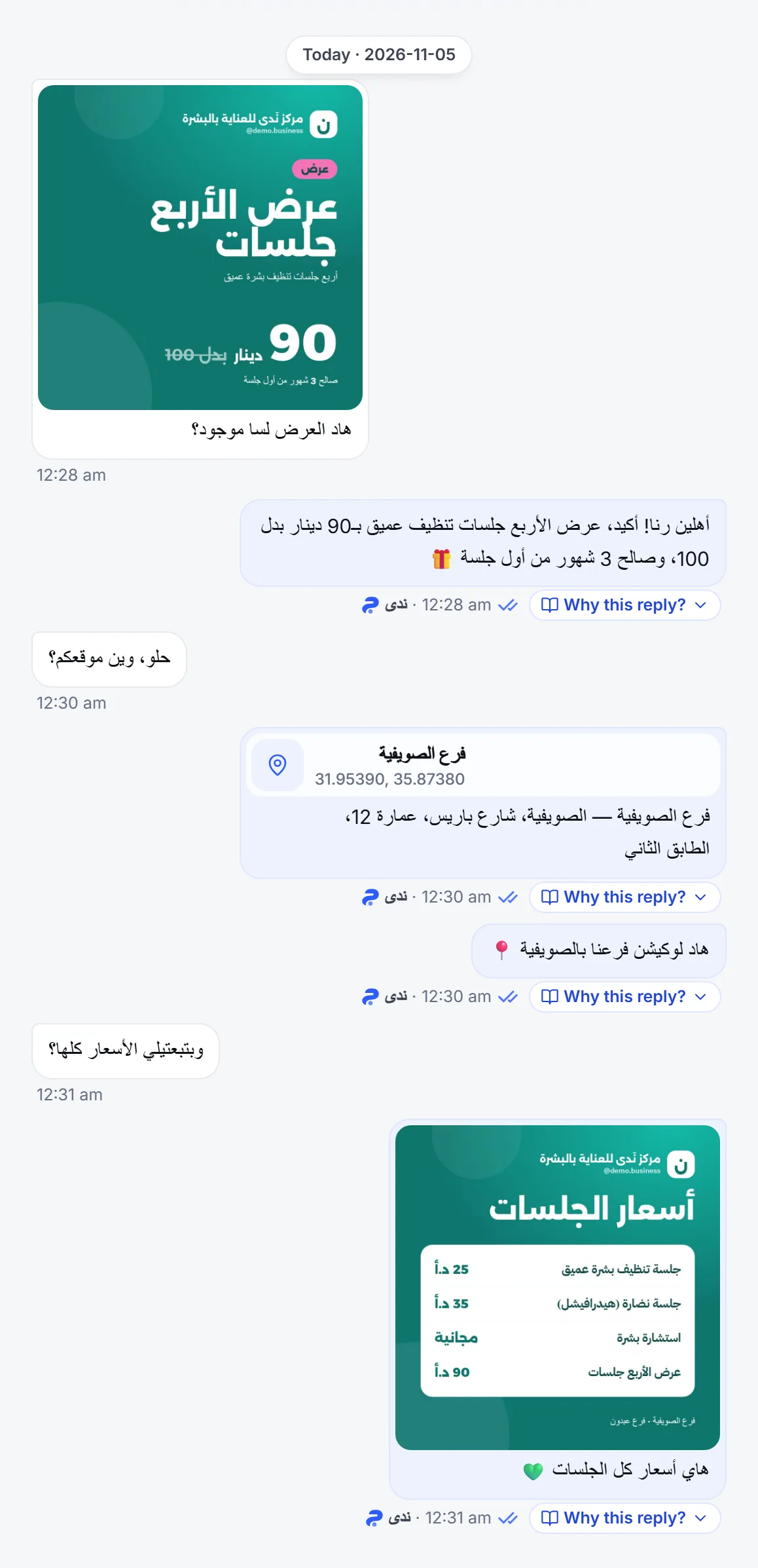
- When a client sends a photo of a hairstyle or a colour and asks whether you do it, the agent answers from the services and prices you wrote, and quotes no price that is not in your knowledge.
- When she asks to see your work, it sends photos from Media.
- Voice notes are always transcribed and answered; the Reads images switch covers photos only. Turned off, the agent ignores photos and answers the text alone.
How does a client move or cancel her appointment?
Section titled “How does a client move or cancel her appointment?”She asks in the same conversation, and the agent moves the appointment to a free time or cancels it; a cancelled time becomes free again on the calendar.
- If she has more than one upcoming appointment, the agent asks which one she means.
- If she already has an upcoming appointment and asks for a new one, it asks whether she wants to move hers or book an extra one.
- The branch gets the Moved or cancelled by the customer alert on its WhatsApp number, which you control in Settings → Branch alerts.
See Reschedule an appointment.
What about bridal and special-occasion bookings?
Section titled “What about bridal and special-occasion bookings?”The agent follows what you write: it either hands these bookings to your team, or collects their details before booking.
- To hand them off: in Agent Studio → Edit → Handoff to your team, write in When it hands off to staff: “Hand bridal and special-occasion bookings to the team to confirm the details.”
- To collect details: in Branches → Booking settings → Custom booking fields, press Add field, add a field of the Date type for the occasion date, and mark it Required if needed. The agent collects it from what the client says before it completes the booking.
The agent never takes money, so a deposit, if you ask for one, is your team’s job. See AI agent limits.
Frequently asked questions
Can a client book with a particular stylist?
Yes. She names the stylist and the agent books with her, offering that stylist's times only. When she names nobody, it books with the stylist she usually sees.
Does the agent understand a hairstyle photo a client sends?
Yes. The agent reads photos by default and answers from your salon's information, and you can switch this off in the agent's settings.
Does the agent reply to Instagram messages?
Yes. Once the Instagram account linked to your Facebook Page is connected, it answers direct messages and replies to your stories.
Does the agent book bridal and special-occasion appointments?
It follows what you tell it. Write a handoff case so these go to your team, or add the occasion date as a field it collects before booking.
Can a client cancel in the chat?
Yes. She asks in the same conversation and the agent cancels it; the time becomes free on the calendar, and the branch gets an alert if you turned it on.