
Instagram DM automation with the Mujib AI agent, what works and limits
Instagram DM automation with Mujib means the agent reads the direct messages that reach your Instagram account, including replies to your stories, answers them from your knowledge base, and hands the conversation to your team when needed. The account connects to Mujib together with the Facebook Page it is linked to, in a single sign-in.
The connection steps are in Connect Instagram and Messenger. This page covers what happens after that.
What does my Instagram account need for DM automation?
Section titled “What does my Instagram account need for DM automation?”It must be a professional account linked to a Facebook Page you manage, because Mujib reaches Instagram messages through that Page.
- A professional account: a business or creator account. This is Meta’s requirement; a personal account does not work.
- Linked to a Facebook Page: Instagram comes with the Page it is linked to. When you connect the Page, Mujib looks for the Instagram account linked to it and connects it in the same step.
- Role and subscription: the owner, admins and team accounts that hold Manage channels can connect channels, and whether Instagram is included depends on your subscription.
If the Page connected but Instagram did not appear, the account is not linked to that Page or is not a professional account. Fix that in Instagram or Facebook settings, then press Connect Instagram again.
What does the agent understand in Instagram messages?
Section titled “What does the agent understand in Instagram messages?”The agent understands text, voice notes and photos, and knows when a message is a reply to your story or a post the customer shared.
| What the customer sends | What happens |
|---|---|
| A text message | The agent reads it and replies |
| A voice note | It is turned into text you see in the inbox, and the agent answers it in text |
| A photo | The agent understands what is in it and replies |
| A reply to a story you posted | The agent knows the message replies to your story and answers what the customer wrote; it does not see the story |
| A mention of your account in the customer’s story | The story image reaches the inbox with a line explaining it, and the agent knows the customer mentioned you |
| A post or reel the customer shares | The agent reads the post’s caption when the platform sends it, and looks it up in your knowledge |
| A message from an ad that opens Instagram messages | The agent knows which ad the customer came from |
| A video or a file | It is recorded in the conversation for you to see; the agent does not watch or read it |
See Ads and stories for more. The agent replies in text, and it can send an image from your media library or a map link to a branch.
Does the agent answer Instagram comments?
Section titled “Does the agent answer Instagram comments?”Yes, with a private message to the person who commented, when you turn that on from the Comments page. Posting under comments is available on request.
- Private reply: the agent sends it automatically, or your team sends it from the Comments page.
- Public reply: available to your team and to automatic replies once public replies are enabled for your business. An automatic public reply is a fixed line from your comment settings, which you can edit, never wording the agent writes.
- Hiding a comment: your team does it from the Comments page once public replies are enabled; the agent never hides a comment by itself.
- Likes: Mujib cannot like a comment on Instagram; when you choose to react to comments, it posts a heart as a reply under the comment instead, also only once public replies are enabled.
See Comment auto reply for details.
What is the 24-hour rule for Instagram messages?
Section titled “What is the 24-hour rule for Instagram messages?”It is the same rule as on Messenger: Meta lets you reply to a customer within 24 hours of their last message, and after that it refuses ordinary messages until they write again.
- The agent answers as soon as a message arrives, so it stays inside the window.
- The inbox tells you before you type whether your reply is still possible.
- You cannot start a conversation with someone who never messaged your account, and a private reply to a comment does not open the window until the customer answers it.
- Appointment reminders go out on Instagram when they fall inside the window, and campaigns run on WhatsApp only.
See The 24-hour window for details.
How do I reconnect Instagram when it stops?
Section titled “How do I reconnect Instagram when it stops?”Reconnect the Facebook Page the account is linked to: Instagram runs on that Page’s connection and comes back with it.
- Open Channels.
- If the Instagram card shows Connected — with an issue, read the reason on it. Some reasons clear by themselves.
- If the connection expired or permissions are missing, press Reconnect the Page, approve every permission, and select both the Page and the Instagram account.
- Press Check the connection now to confirm that Meta accepts the connection now.
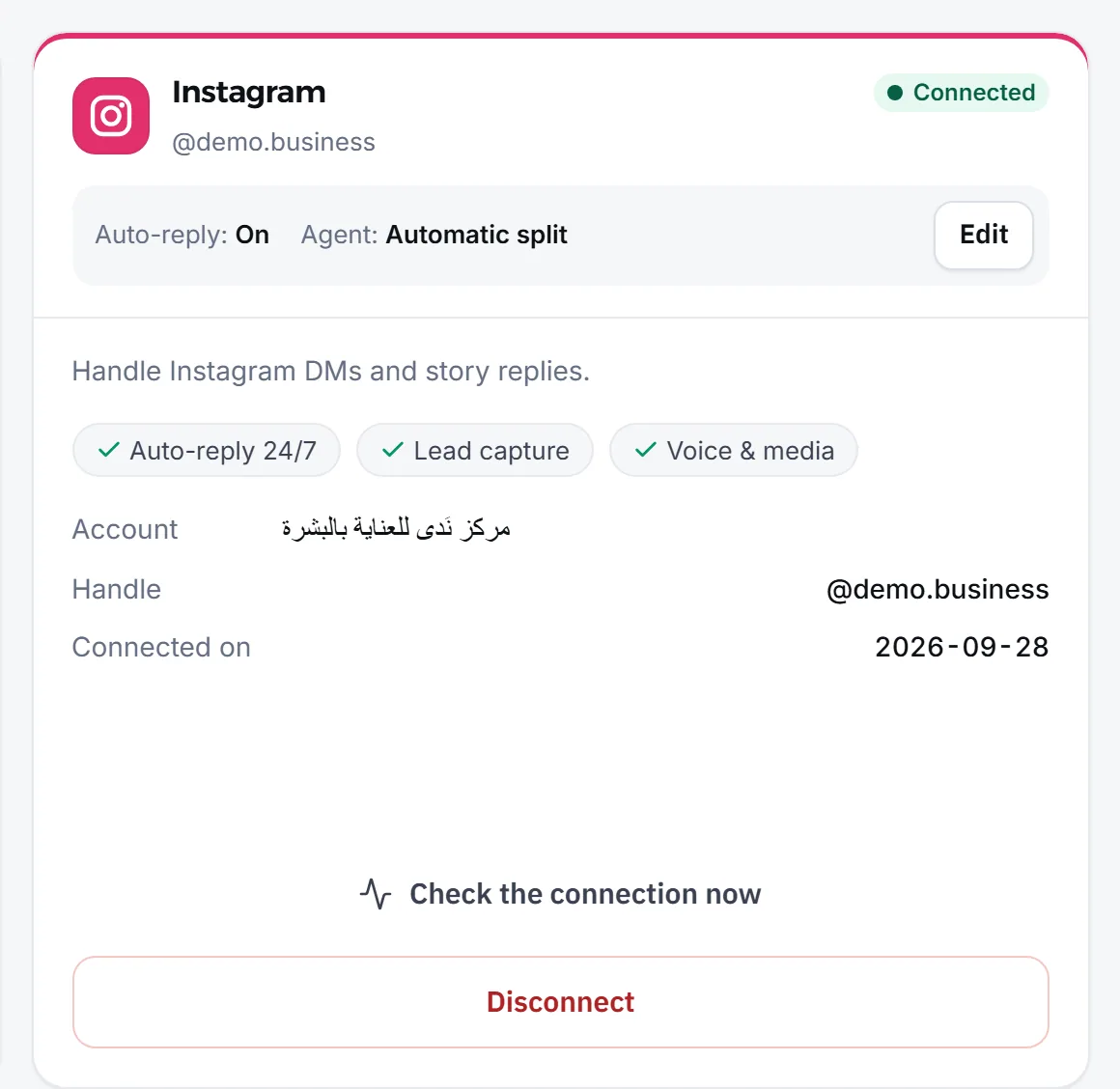
Pressing Disconnect on the Instagram card stops Instagram alone, while disconnecting the Facebook Page stops both channels. Either way, past conversations stay in the inbox.
What are the agent’s limits on Instagram?
Section titled “What are the agent’s limits on Instagram?”On Instagram, Mujib follows Meta’s rules and the permissions it was granted. These are the main limits:
- It does not start conversations: it answers people who wrote to your account.
- No voice replies: the agent answers voice notes in text.
- It cannot see the story: it knows the customer is replying to your story, but not the story’s image or text; add your story offers to your knowledge base.
- No likes on comments: a heart reply takes their place when public replies are enabled.
- No delete for everyone: Mujib does not offer deleting a sent Instagram message for the customer; that option is on WhatsApp only.
- No bulk campaigns: campaigns run on WhatsApp only.
A message did not show up in the inbox? See Instagram message not showing.
Frequently asked questions
Does the agent work with a personal Instagram account?
No. Meta requires a professional account, either business or creator, linked to a Facebook Page. Mujib connects the account through that Page.
Does the agent answer people who reply to my stories?
Yes. The agent knows the message is a reply to a story you posted and answers what the customer wrote from your knowledge base, but it does not see the story image itself.
Does the agent answer Instagram comments?
It answers the person who commented with a private message, when you turn that on. Public replies under a comment and hiding comments are available on request.
Can Mujib like a comment on Instagram?
No. Mujib's Instagram permissions do not include liking, so when you choose to react to comments it posts a heart as a reply under the comment instead, once public replies are enabled for your business.
Does the agent reply to Instagram messages after 24 hours?
The agent replies as soon as a message arrives. Messages that go out later, such as a late staff reply or an appointment reminder, follow Meta's window, just as on Messenger.