
Staff and specialists, and how customers choose a specialist
In Mujib a customer can choose a specialist in three ways: the agent books the specialist who usually sees them, books the one they ask for by name or gender, or asks them once when nobody follows them and several people are free. You add specialists on Branches and set their details in Team roster.
Each specialist becomes a column in the calendar, and the number of specialists at a branch is the number of appointments it takes at the same time.
How do I add a specialist to a branch?
Section titled “How do I add a specialist to a branch?”Add them in the branch editor, then complete their details in the roster in Settings.
- Open Branches and press Edit on the branch’s card.
- Go to Numbers & staff, press Add specialist and type the Specialist name.
- Press Save branch.
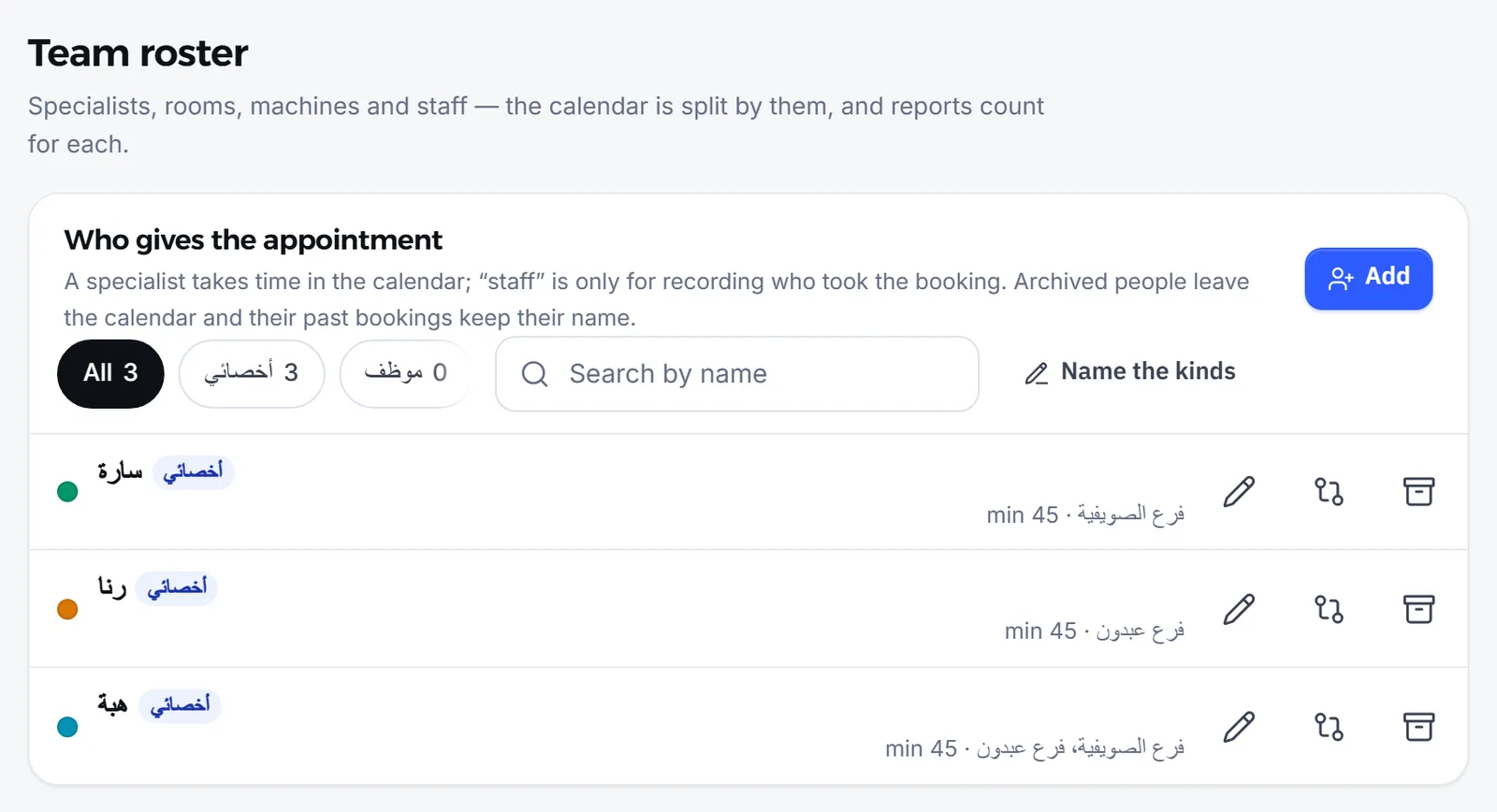
- Open Settings → Team roster and press Edit on the specialist to set their gender, hours and visit length.
You can also start from Team roster with Add and choose the branches the person works at. Editing the roster is open to accounts that manage branches.
What do I set for each specialist in the roster?
Section titled “What do I set for each specialist in the roster?”Each person in the roster has a kind and a few details that change how their appointments are booked.
| Detail | What it changes |
|---|---|
| Kind | A specialist takes time in the calendar. Staff are only recorded as the person who took a booking |
| Gender | Used by the agent when a customer asks specifically for a woman or a man |
| Their appointment length (minutes) | Overrides the visit type’s length, for someone whose visits take longer |
| Works at which branches | A person can work at several branches but is never booked at two at the same time |
| Custom hours | When their hours at a branch differ from the branch’s |
| Short name | Shown in the calendar column when the full name does not fit |
What if a customer asks for a specialist by name?
Section titled “What if a customer asks for a specialist by name?”The agent looks the name up among the branch’s active specialists, books that person when found, and offers only their times.
- It recognises the full name, the short name and the first name on its own.
- When two people at the branch share the name, it asks the customer which one they mean.
- When the name is not among the people who work at that branch, it says so and lists who does. It never makes up a name.
- When the specialist does not work on the requested day, it says they are not in that day and names the days they work. It never says the branch is closed.
How does the agent pick a specialist when the customer names none?
Section titled “How does the agent pick a specialist when the customer names none?”The agent books the specialist who already follows the person the visit is for at that branch, and offers only that specialist’s times.
- Who usually sees them: the specialist of that person’s latest visit at the branch, or of their soonest upcoming visit when there is no past one, as long as that specialist still works there.
- When nobody follows them and more than one specialist could take the visit, the agent asks once, before offering times, whether they see someone in particular or anyone available is fine.
- When the customer says anyone is fine, the appointment is booked with no specialist and shows under Unassigned until your team assigns one.
When one number books for a whole family, the agent follows the person who will attend: a daughter’s visit goes to her own specialist, not her mother’s. The customer can always ask for someone else.
Can a customer ask for a female or a male specialist?
Section titled “Can a customer ask for a female or a male specialist?”Yes, once you have recorded the Gender of at least one active specialist. When a customer asks specifically for a woman or a man, the AI agent only picks from the people whose gender is set here — it never guesses from the name.
- When a customer asks for a woman without naming anyone, the visit is booked with a free specialist recorded as female.
- When nobody of that gender is in on the requested day, the agent says so and offers the days when someone is.
- Choose Female or Male for each specialist in their roster form.
How do I stop a specialist from being booked?
Section titled “How do I stop a specialist from being booked?”Archive them in Team roster with Archive. They disappear from the calendar and booking forms. Past bookings stay recorded under their name, and you can bring them back any time.
- The agent never offers or books an archived specialist.
- To see archived people press Show archived, then Restore to bring one back.
- When the same person appears in the roster under two spellings, use Merge names to move both names’ bookings to one person. Merging cannot be undone.
Frequently asked questions
What if a customer asks for a specialist by name?
The agent looks the name up among the branch's specialists, by full name, short name or first name, and offers that person's times only. If they do not work at that branch, it says so and lists who does.
Does the agent guess a specialist's gender from their name?
No. When asked for a gender, the agent only picks from the specialists whose gender you recorded in the roster.
How many appointments can a branch take at once?
As many as it has specialists. With no specialists added, a branch takes one appointment at a time.
Does the agent change the specialist when it reschedules?
No. A moved appointment keeps its specialist; changing the specialist is done in the calendar by your team.
What happens to a specialist's bookings when they leave?
Archive them. They disappear from the calendar and the booking forms, their past bookings keep their name, and you can bring them back at any time.