
Export data from Mujib, a full JSON copy and CSV files
To export data from Mujib, download a full JSON copy of your business from Settings, with its customers, conversations, messages and bookings, or download CSV files from the leads, calendar, reports, subscriptions and campaign pages and open them in Excel. You can do either whenever you like.
Exporting only gives you a copy: it changes nothing in your account and deletes nothing from it.
How do I download a full copy of my data?
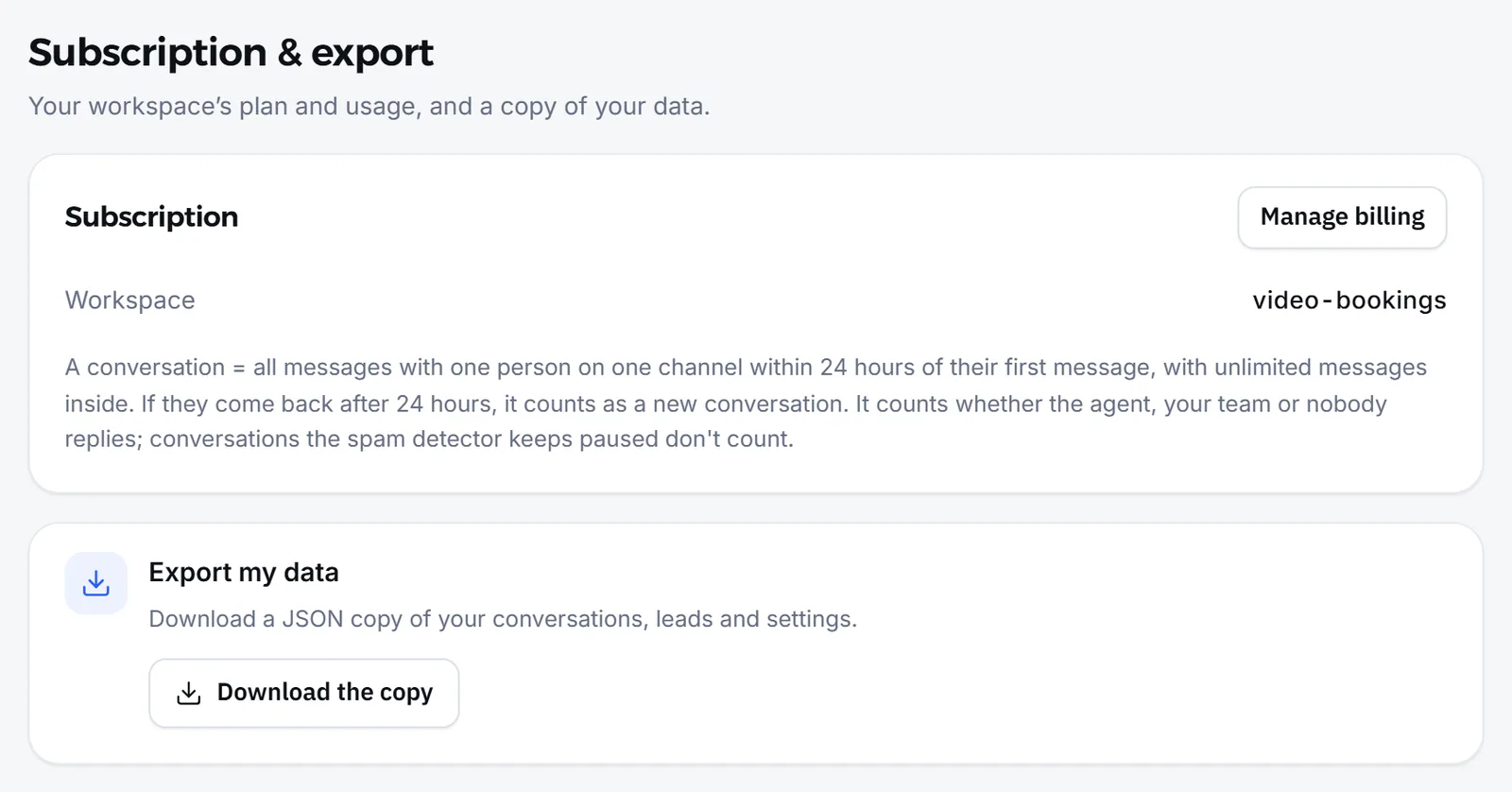
Section titled “How do I download a full copy of my data?”You download it from the Subscription & export section of Settings, which only the owner and admins can open.
- Open Settings, then the Subscription & export section.
- In the Export my data panel, press Download the copy.
- Wait while the file is prepared; a single JSON file then downloads to your device.
What is in the full copy?
Section titled “What is in the full copy?”The file has eight parts of your business’s data, preceded by a summary with the export date and how many items each part holds.
| Part of the file | What it holds |
|---|---|
tenant | Your business and its settings |
branches | Branches |
agents | Agents and their settings |
contacts | Customers, including their tags and notes |
conversations | Conversations |
messages | Messages, oldest first |
bookings | Bookings |
broadcasts | Campaigns |
- The summary is the
metapart, and itscountsgive the number of items in each part. - If you have more than 100,000 messages, the file holds that many and sets
messagesTruncatedtotrue, so you know the messages are incomplete. - The file does not include the knowledge base, the media library, or your customers’ subscriptions or orders. Export subscriptions from their page, as in the next section.
How do I read the JSON file?
Section titled “How do I read the JSON file?”A JSON file is structured text that programs and systems read directly, and any text editor opens it. Its name starts with mujib-export and ends with the export date.
- Each part of the file is a list, and each item in it is one record with its fields as Mujib stores them.
- The export date in the summary is written in ISO format, in UTC.
- If you want tables to read by eye in Excel, the CSV files from the pages suit you better.
How do I export a CSV file from a page?
Section titled “How do I export a CSV file from a page?”Press the download button on the page itself, and a CSV file of what that page shows downloads.
| Page | Button | What the file holds |
|---|---|---|
| Leads | Export CSV | Leads with the filters and order in front of you: name, phone, stage, source, score, tags, message counts, branch and last activity |
| Calendar | Download all bookings | Every appointment, not just the visible ones, with your branch filter if you chose one |
| Reports | Download CSV | The open report, with the same period and filters |
| Subscriptions | Download CSV | Subscriptions in the range in front of you |
| Broadcast | Download the recipient list (CSV) | Exactly the numbers the campaign will reach |
- On Leads, the button is also in the More options menu on a phone. The file’s column headers are in English, and Arabic names stay intact when you open it in Excel.
- On Subscriptions the file is not offered while you search or filter by type, because it would not match the screen: clear the search and choose all first.
- The bookings file and printing are covered in Manage, print and export bookings to Excel.
- To download a photo or file from a conversation, see Download media and delete messages.
Who can export data?
Section titled “Who can export data?”The full copy is for the owner and admins only. A CSV file can be exported by anyone who can open its page, and it holds only what their account can see.
- A branch-scoped staff member downloads their own branch’s data, just as they see it on the page.
- An account cannot export from a page it has no permission for. Each page’s permission is in Team permissions.
How do I keep another system up to date with my data?
Section titled “How do I keep another system up to date with my data?”Exporting from the dashboard is manual: you press it whenever you need a copy. To move data automatically, use integrations or the developer API.
For the opposite direction, bringing your customers into Mujib from an Excel file, use the Import from Excel section in Settings. See Business settings.
Frequently asked questions
Who can download the full copy?
Only the owner and admins, because it holds every branch's customers, conversations and messages.
Does a CSV file hold every row or only what is on screen?
The leads, reports and subscriptions files match the filters in front of you. The bookings file holds every appointment, not just the month on screen.
Does the full copy include the knowledge base and images?
No. It holds the business, branches, agents, customers, conversations, messages, bookings and campaigns only.
Can I export automatically every day?
There is no scheduled export in the dashboard. To move data to another system automatically, use integrations or the developer API.
How do I ask for my data to be deleted?
Exporting deletes nothing. How to request deletion is explained on the data deletion page.