
Show bookings in Google Calendar, Outlook and iPhone
You can follow each branch’s bookings in Google Calendar, Outlook or the iPhone calendar through a calendar link of its own. It works one way: Mujib’s appointments appear in your calendar and refresh by themselves every few hours, and nothing you edit there comes back to Mujib.
This suits anyone who runs their day from the calendar on their phone and does not want to open the Mujib dashboard. Booking and editing stay in Calendar inside Mujib.
How do I turn on calendar links?
Section titled “How do I turn on calendar links?”Turn them on once on the Integrations page, and a link appears for each active branch.
- Open Integrations. The page is open to the owner and admins.
- Press the Google Calendar card or the Outlook card.
- Turn on Calendar links are on.
- Next to each branch, press Copy the link.
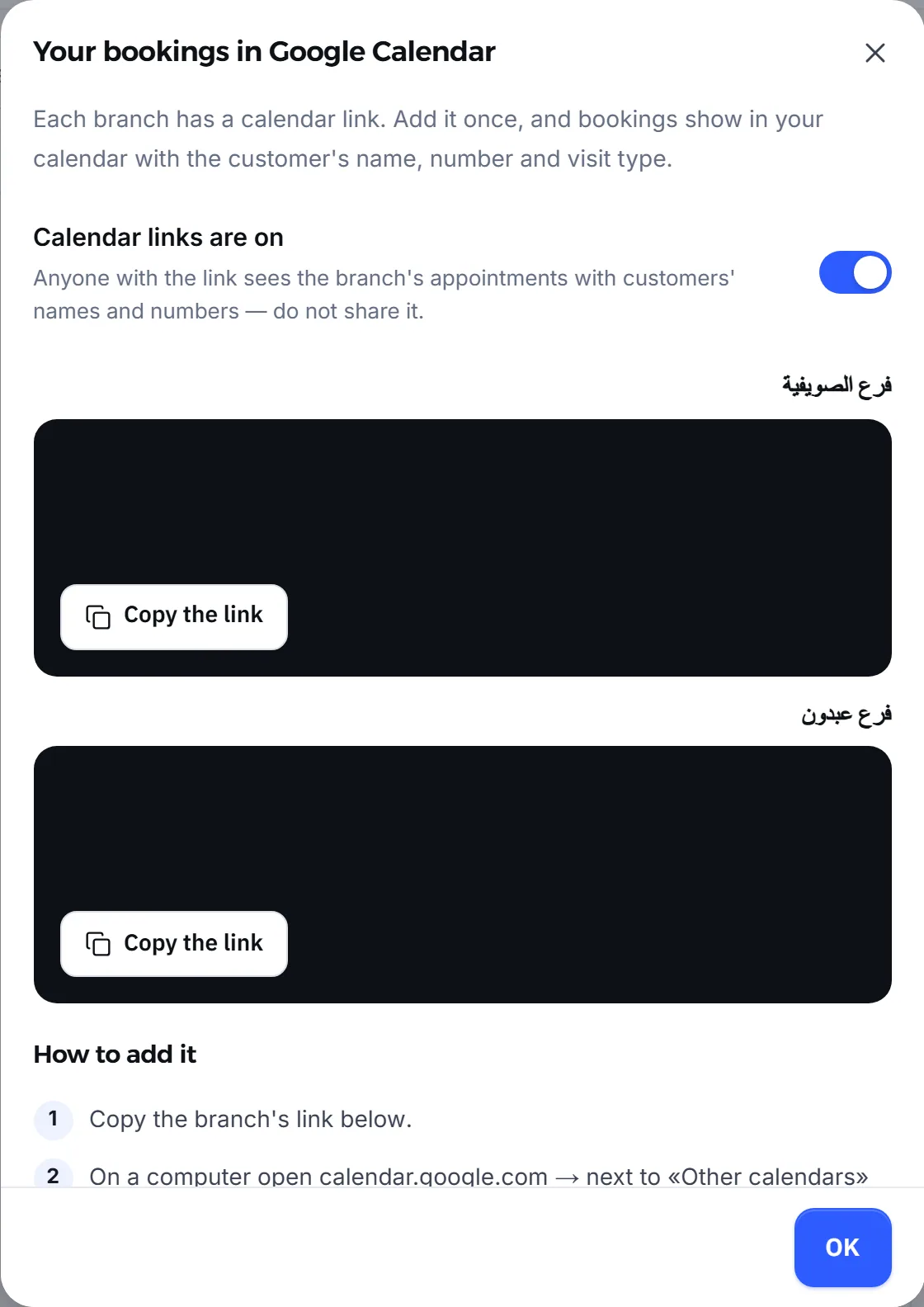
The calendar cards show for businesses with the Bookings module. The links stay off until you turn them on.
How do I add the link to Google Calendar?
Section titled “How do I add the link to Google Calendar?”Add it in Google Calendar on a computer, and it then shows by itself in the phone app.
- Copy the branch’s link from Mujib.
- On a computer, open
calendar.google.com, and next toOther calendarspress+, thenFrom URL. - Paste the link and press
Add calendar.
After that the calendar shows by itself in the Google Calendar app on your phone.
How do I add it to Outlook or an iPhone?
Section titled “How do I add it to Outlook or an iPhone?”The same way: subscribe to the link from the calendar you use.
- Outlook on the web: open Calendar, then
Add calendar, thenSubscribe from web. Paste the link and pressImport. - iPhone: open Settings, then Calendar, then Accounts, then
Add Account, then Other, chooseAdd Subscribed Calendarand paste the link.
The Integrations page shows these same steps under How to add it.
What shows in the calendar?
Section titled “What shows in the calendar?”Each appointment appears as an event at its time, in the branch’s timezone, with what someone glancing at their day needs.
| In the event | What shows |
|---|---|
| Title | The customer’s name, and the specialist when there is one |
| Description | The customer’s number, the visit type, and whether Mujib or the team booked it |
| Location | The branch’s address, if you added one |
| Length | From the start to the end of the visit |
The link shows the last 30 days of appointments and the next 180 days. A cancelled appointment is removed from your calendar at the next refresh, so nothing lingers there that no longer stands.
Does the calendar sync both ways?
Section titled “Does the calendar sync both ways?”No. It runs one way, from Mujib to your calendar only.
- One way only: what you edit in your calendar does not come back to Mujib.
- Events you add in Google Calendar do not take a time in Mujib, so they do not stop the agent from booking it. To close a time or a day, use opening hours or public holidays.
- The calendar refreshes by itself every few hours (Google and Outlook decide when) — not instantly. For a booking made just now, check the calendar in Mujib.
How do I turn calendar links off?
Section titled “How do I turn calendar links off?”Switch off Calendar links are on on the same page, then confirm. Every link handed out so far stops working for good. If you turn them on again, new links come out and must be added again.
Turn them off when a staff member who had the link on their phone leaves, or when you suspect a link reached the wrong person. After turning them back on, add the new links to your calendar.
Frequently asked questions
Does the calendar sync both ways?
No. Mujib's appointments appear in your calendar, but what you add or edit there never comes back to Mujib and never blocks a time in it.
How long until a new booking shows in Google Calendar?
Sometimes a few hours, because Google Calendar and Outlook decide on their own when to refresh the link. For a booking made just now, open the calendar in Mujib.
Are calendar links on from the start?
No. They stay off until the owner or an admin turns them on from the “Integrations” page.
What if a calendar link reached someone who should not see it?
Turn the links off on the same page: every old link stops working for good. Turn them back on to get new links and add those to your calendar.
Do cancelled appointments stay in my calendar?
No. When an appointment is cancelled, it is removed from your calendar at the next refresh.